
Tiny Text Generator
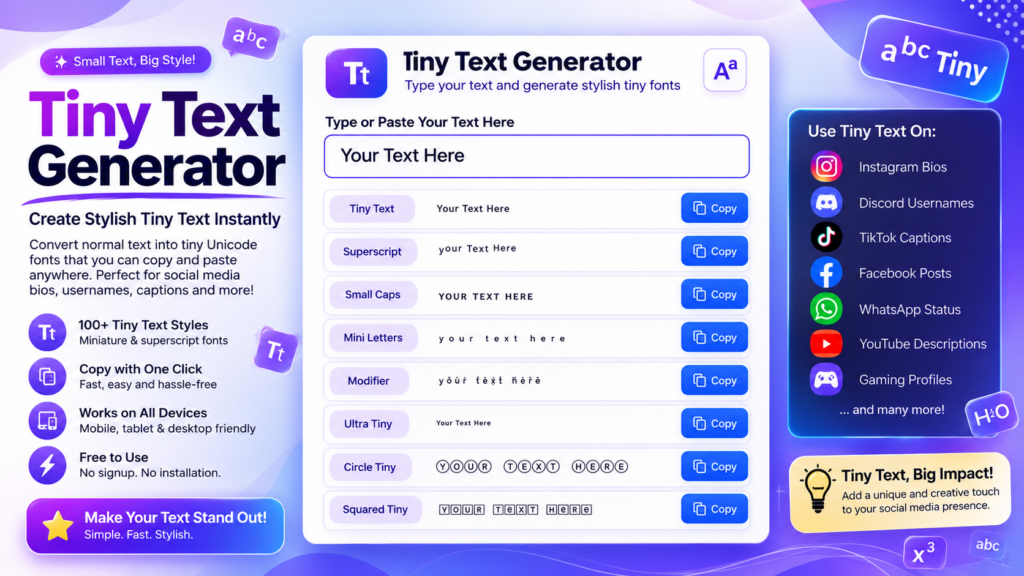
Create tiny text instantly with our free Tiny Text Generator. Convert normal text into stylish tiny Unicode characters that are perfect for Instagram bios, Discord usernames, Facebook posts, TikTok captions, WhatsApp messages, gaming profiles, and more. Simply type your text, browse dozens of tiny font styles, and copy your favorite with one click—no registration or downloads required.
Start typing above to see your text transformed into 120+ fancy styles.
Why Use Our Tiny Text Generator?
- Generate stylish tiny text instantly.
- Copy and paste with one click.
- Works on desktop and mobile devices.
- Compatible with Instagram, Discord, Facebook, TikTok, WhatsApp, and more.
- Produces readable Unicode tiny letters.
- No registration required.
- 100% free to use anytime.
What Is Tiny Text?
Tiny text is a decorative writing style created using Unicode superscript and modifier characters. Instead of installing a new font, a Tiny Text Generator converts ordinary letters into smaller Unicode characters that can be copied and pasted almost anywhere.
Tiny text is popular for creating stylish Instagram bios, Discord usernames, gaming nicknames, social media captions, profile names, and creative messages while remaining readable on most modern devices.
Where Can You Use Tiny Text?
Tiny text works on most websites and apps that support Unicode characters, including:
- Instagram bios and captions
- Discord usernames and nicknames
- TikTok profile names
- Facebook posts and comments
- WhatsApp status updates
- X (Twitter) posts
- YouTube channel descriptions
- Gaming usernames
- Twitch profiles
- Creative digital artwork
Platform Compatibility
| Platform | Supported |
|---|---|
| ✔ Yes | |
| Discord | ✔ Yes |
| ✔ Yes | |
| TikTok | ✔ Yes |
| ✔ Yes | |
| X (Twitter) | ✔ Yes |
| Telegram | ✔ Yes |
Tips for Using Tiny Text
- Keep it simple. Tiny text is easiest to read when used for short words and phrases.
- Preview before posting. Check how the text appears on your preferred platform before publishing.
- Use it for usernames and bios. Tiny text looks best in profile names, captions, and decorative headings.
- Avoid overusing it. Too much tiny text may become difficult to read.
- Mix with emojis carefully. Combining tiny text with emojis creates attractive social media posts.
- Save the original text. Keep a normal version in case a platform doesn’t fully support Unicode.
Frequently Asked Questions
How does Tiny Text work?
The generator converts normal letters into Unicode superscript and modifier characters. Since these are part of the Unicode standard, no font installation is required.
Is Tiny Text Generator free?
Yes. Our Tiny Text Generator is completely free and unlimited.
Can I use tiny text on Instagram?
Yes. Tiny text works perfectly for Instagram bios, usernames, captions, and comments.
Does it work on mobile devices?
Yes. Tiny text can be generated and copied directly from modern mobile browsers.
Can I copy and paste tiny text?
Absolutely. Simply type your text, choose your favorite style, and click Copy.
Does tiny text work on Discord?
Yes. Discord supports Unicode characters, making tiny text suitable for usernames, nicknames, and chat messages.
Does this generator install fonts?
No. The generator only creates Unicode text. Nothing is downloaded or installed.
Can I use tiny text for gaming usernames?
Yes. Tiny text is commonly used on Discord, Steam, Twitch, Roblox, and other gaming platforms.
Does tiny text affect SEO?
For websites, normal readable text is recommended for headings and body content. Tiny text is best suited for decorative purposes and social media.
Is there a character limit?
The generator has no character limit, although the platform where you paste the text may have its own restrictions.
How do I remove tiny text formatting?
Simply replace the tiny text with regular text or paste it into a plain text editor before copying it again.
Explore More Font Generators
Looking for more creative Unicode text styles? Explore our complete collection of free font generators. Create stylish text for Instagram, Facebook, Discord, TikTok, WhatsApp, gaming usernames, social media bios, websites, and more. Every tool is free to use and lets you copy and paste your favorite text instantly.
- All Font Generators
- Instagram Font Generator
- Facebook Font Generator
- Discord Font Generator
- Cursive Font Generator
- Bubble Text Generator
- Glitch Text Generator
- Zalgo Text Generator
- Tiny Text Generator
Final Thoughts
Our free font generators make it easy to create stylish Unicode text that works across most modern websites, messaging apps, and social media platforms. Simply type your text, choose your favorite style, copy it with one click, and paste it wherever you want. Whether you’re customizing your Instagram bio, Facebook posts, Discord username, gaming profile, or creating eye-catching content, our collection of font generators gives you hundreds of creative text styles in seconds—completely free and with no registration required.
